Reuse, fork, and share components
Save reusable blocks, fork originals, upload reviewed HTML, and share or import components.
Save local reusable blocks, fork originals without overwriting them, upload reviewed HTML, and share or import components.
PageDesigner supports four different reuse operations. Choose the one that matches your intent.
| Need | Use |
|---|---|
| Save a section you built on the canvas | Save as Block |
| Make a new reusable variation of an existing model | Fork, edit, Upload |
| Send one selected component to someone else | Share Component |
| Receive a component from another installation | Import Component |
Save a selected section
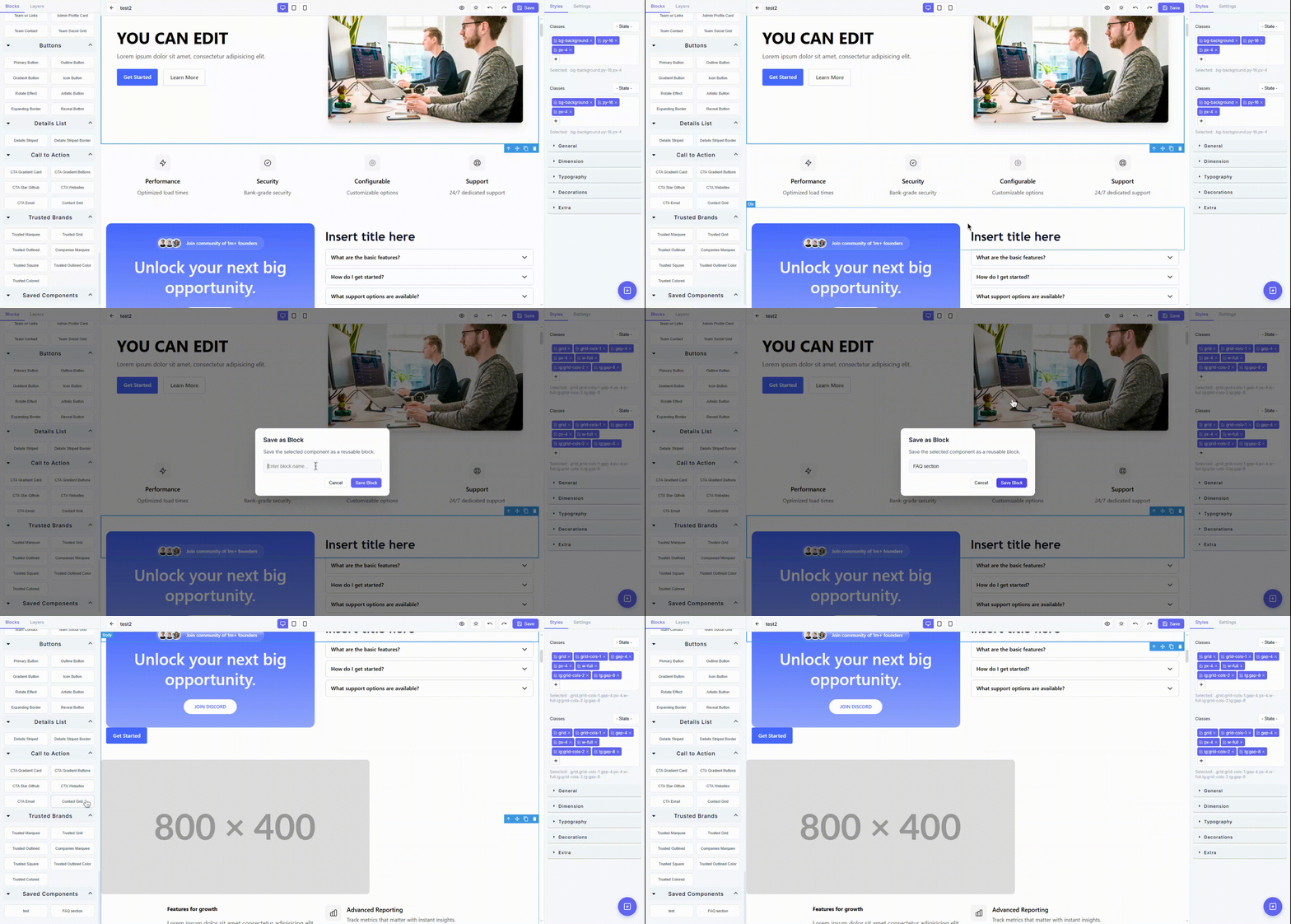
- Select the complete reusable section.
- Select the lower-right Save as Block action.
- Enter a descriptive name.
- Select Save Block.
- Find the result under Saved Components in Blocks.
You can also press Ctrl + Shift + S.
What is saved
The saved snapshot contains the selected component's HTML structure, styling, and nested elements. A later placement is a copy. Editing the placed copy does not update the saved block or other pages.
Name for the next editor
| Clear | Unclear |
|---|---|
CTA — Support contact | New block |
Pricing — Three tiers, dark surface | Pricing 2 |
FAQ — Account setup | Final final |
Remove campaign dates, customer names, temporary prices, private links, and tracking identifiers before saving a general reusable block.
Fork a component
Forking is for a reusable model that needs a permanent structural or code-level variation.
- Open the Model Marketplace.
- Open Custom → Fork.
- Choose a Hosted or local custom component.
- Select Download HTML.
- Edit the downloaded
.htmlfile in a trusted code editor. - Return to Custom → Upload.
- Upload the file or paste the reviewed markup.
- Give the new component a name and category.
- Save it.
The original model is not modified.
If PageDesigner says the source content is missing, download or cache the source first. Forking cannot safely create editable HTML from a manifest entry that has no local content.
When not to fork
Do not fork just to change the heading, image, price, or link on one page. Place the regular model and edit the page copy.
Fork when the reusable version needs a different structure, enduring brand variation, or a reviewed change that should be available on many future pages.
Upload a custom component
The Upload dialog accepts:
- a forked
.htmlfile; - hand-prepared HTML from a trusted developer;
- markup pasted into the HTML field.
Provide:
- Component name
- Category
- HTML file or HTML code
Treat this as a developer boundary.
Review before upload
- Use semantic HTML.
- Use Paymenter theme tokens.
- Use mobile-first utility classes.
- Include meaningful alt text.
- Use safe links and attributes.
- Do not include
<script>, inlineon*handlers, orjavascript:URLs. - Do not paste secrets, private data, or code from an untrusted source.
Page-level JavaScript belongs in the controlled Custom Code workflow, not a reusable canvas component.
Share one component
- Select the exact component.
- Select Share Component.
- Enter a descriptive component name.
- Create the share.
- Copy the returned link.
- Send it only to the intended recipient.
Before sharing, remove private names, draft text, unreleased prices, private image URLs, and internal tracking values.
Sharing creates a transferable package. It does not create a synchronized component that receives future edits.
Import a shared component
- Open the Model Marketplace.
- Select Import Component.
- Paste the share link or component UID.
- Select Import.
- Find the imported result under Shared Components.
- Drag it onto the page and review every detail.
If import fails, confirm:
- the link or UID is complete;
- the sender's visibility allows your account to import;
- your role can download Hosted components;
- your license is active;
- the Hosted API is reachable.
Deleting reusable blocks
Deleting a local reusable source does not remove copies already placed on pages. Still verify the source is no longer needed before deletion.
Do not delete a source to fix a single page copy. Edit or remove the copy on that page.
Governance recommendations
- Use a naming convention.
- Assign an owner for commonly used components.
- Keep a small approved set for pricing, legal, support, and checkout-adjacent content.
- Review models after brand or theme changes.
- Version structural variants in their names when the difference matters.
- Prefer a fork over editing an unknown HTML export in place.
- Test every reusable component on a clean draft before wider use.